Home › Shabbos mode
Shabbos and Yom Tov mode: the app rests when you do
No workouts on Shabbos or Yom Tov, a quiet screen, and streaks that never break.
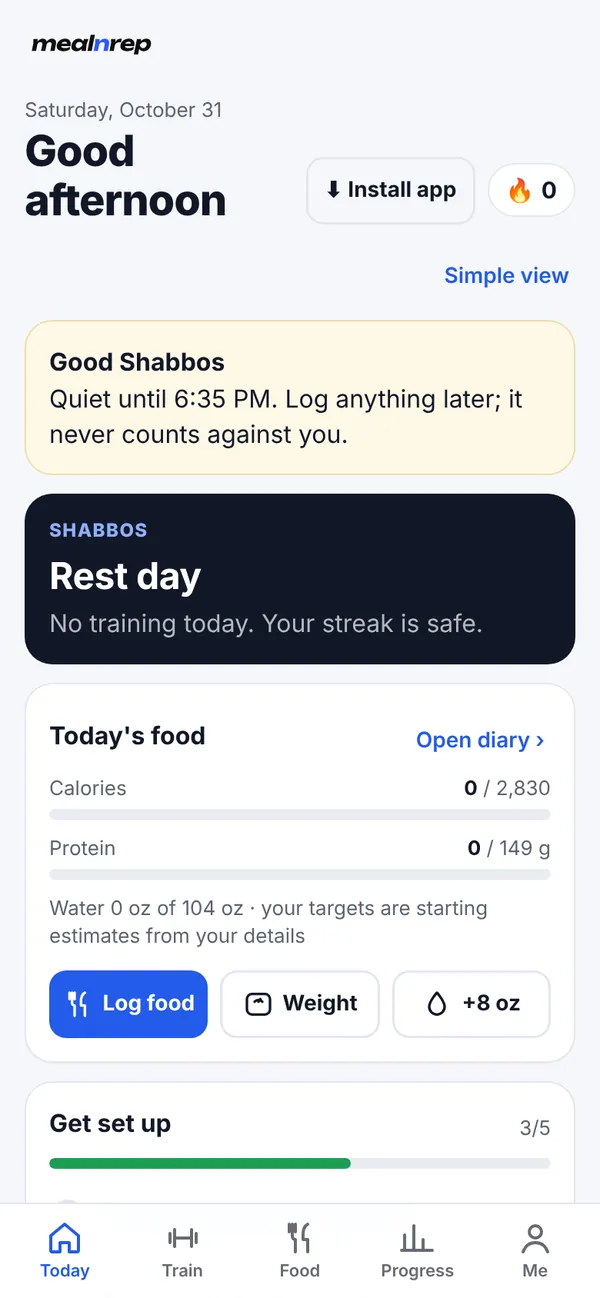
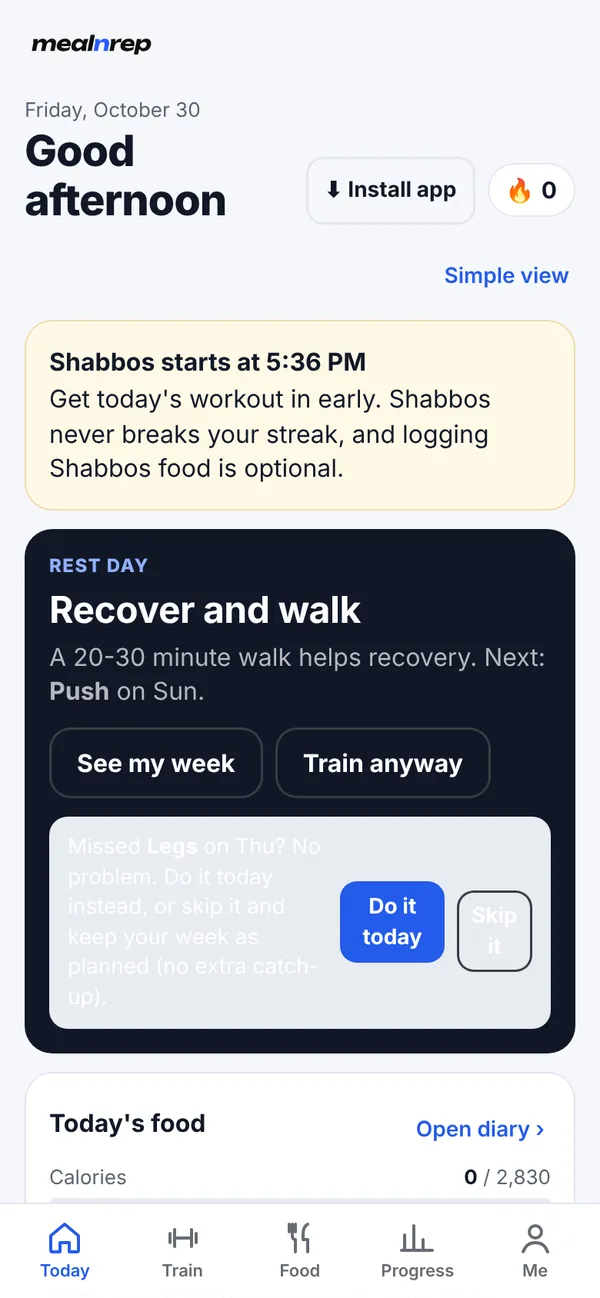
When Shabbos mode is on (it is on by default, and you can turn it off in onboarding or under Me), Meal n Rep never schedules a workout on Shabbos or Yom Tov, shows a quiet screen instead of goals, and never counts those days against your streak.
What you'll see
- Erev Shabbos: a heads-up on Friday with candle-lighting time.
- On Shabbos: a calm “Good Shabbos” screen that says it is quiet until havdalah.
- Motzei Shabbos: “Shavua tov”, with an optional reminder that you can log Shabbos food if you want to.
How it works, question by question
| Question | Answer |
|---|---|
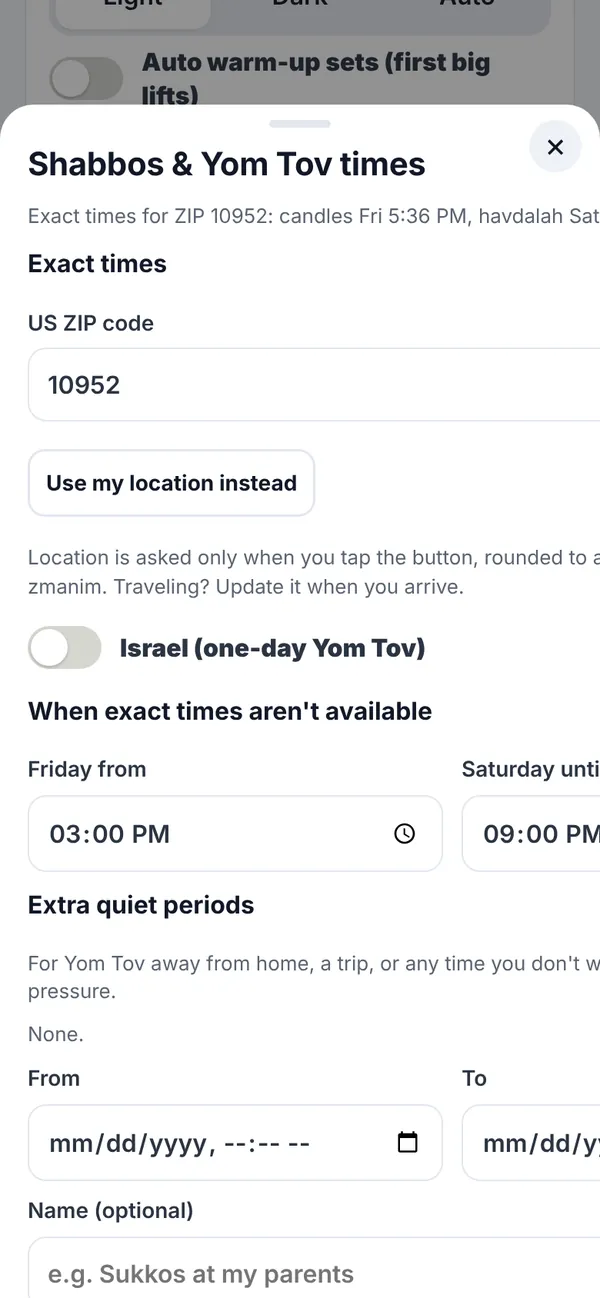
| How do I set it up? | It is on by default. Add a US ZIP code (or allow location once) under Me for exact times. Without one, you set a weekly window yourself (default Friday 3 PM to Saturday 9 PM). |
| Where do the times come from? | Candle-lighting, havdalah and Yom Tov dates come from Hebcal for your ZIP or approximate location (rounded to about 1 km). There is an option for Israel's one-day Yom Tov. |
| Is Yom Tov supported? | Yes. Yom Tov dates are rest days, like Shabbos. For Yom Tov the quiet screen uses your own weekly window times, not exact zmanim. |
| Fast days? | Fast days are treated as easy days with no training pressure, and they never break a streak. |
| What about notifications? | The app sends no push notifications at all. If you add the optional workout calendar file to your phone, it has no Saturday workouts and leaves out the Yom Tov dates the app knows about. |
| What happens to my daily targets? | Your food targets still exist, but logging on Shabbos is never expected. Nothing turns red and nothing is marked missed. |
| Can I record things afterwards? | Yes. After Shabbos or Yom Tov you can log food, sleep or anything else for those days. |
| Travelling or away for Yom Tov? | Add extra quiet periods under Me for trips or Yom Tov away from home. |
| Does the app lock itself? | No. The app does not lock your phone or block anything. It simply doesn't ask anything of you. Whether and how to use a phone on Shabbos is your decision. |
Please note. Shabbos mode is a scheduling feature. It is not halachic guidance and it has no rabbinic approval or supervision. Times come from Hebcal; check your community’s luach for your own minhag.
Free. Works in your browser on iPhone, Android, tablet and computer. No card needed.